
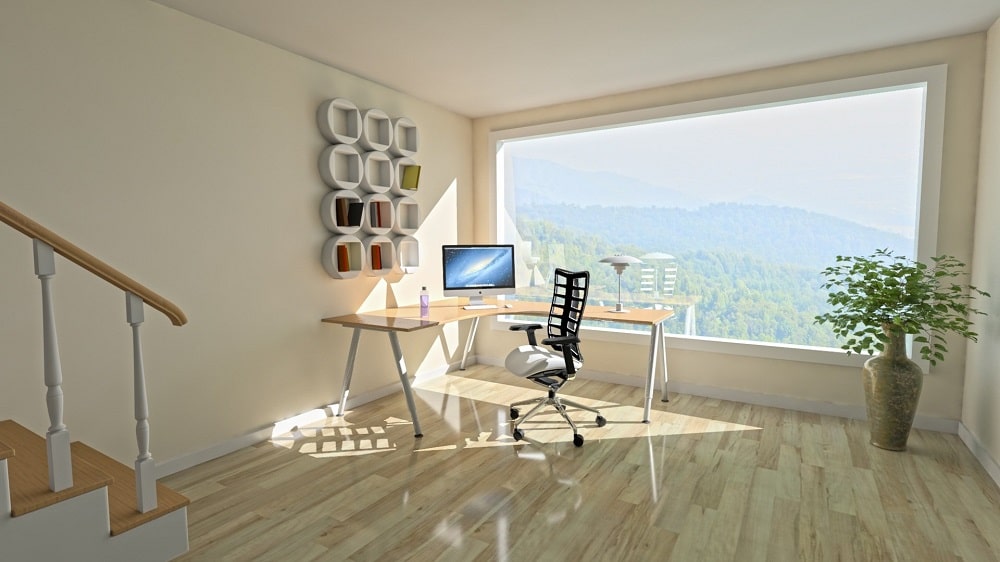
Many office employees are used to slumping at their desks while using their computers. Little do they know that doing so affects their physical well-being. Soon they will feel aches and pain because of their poor workplace setting. Did you know that even the layout of a laptop keyboard can contribute to a person’s neck, shoulder, and back pains?
More people work from home today, and they must know how to set up their home office properly. Ergonomic4u-working from home ergonomics experts suggest that creating an ergonomic workstation will help make people feel comfortable even if they work longer at their desks.
Explaining ergonomics
Ergonomics is the process of arranging or designing products, systems, and workplaces that will fit the people who will use them. They help improve human interaction with environments, systems, and products. The ergonomic tools people use when they work, play or rest should reduce the risk of harm or injury to people.
Setting up an ergonomically correct workstation
Whether you are setting up a workspace at home or in the office, it should fit and support you. Here are the things you need.
- Spine-supporting chair. Your chair should cushion your middle and lower back when you press your back against the backrest. The best chair for the office should be able to support your back’s natural S-curve. You need a chair with lumbar support. Look for a chair that will adjust to your body type and size, with a comfortable cushion and adjustable support for your lumbar (lower back) area, such as a seat cushion and lumbar support pillow. These items should make you sit properly with your back resting against the backrest comfortably, preventing you from sitting at the edge of your seat or leaning forward.
- Desk with the proper height for using the keyboard. Choose a desk that fits your height. When you’re typing on a keyboard placed on your desk, your arms and wrists should be in a neutral position. This means that your arms should bend at a 90-degree angle, and parallel to the floor. Usually, an office desk is about 28 to 30 inches high, which is ideal for people whose height is around five feet ten inches or more. If you are shorter than an average adult, you need to make adjustments. One solution is to attach a keyboard tray under your desk to lower the keyboard. You can also try to raise your chair to ensure that the wrists are over the keyboard. If you are raising your chair, ensure that your feet can remain flat on the floor. Otherwise, use a footrest, which will properly support your legs and feet to allow proper blood circulation and avoid cramping.
- Ergonomic external keyboard. When you’re using your laptop, your hands are forced to move inwards as the laptop’s width is limited, making you hunch your shoulders. To make typing easier and more comfortable, use an external keyboard. The most ergonomically correct keyboard is the split type. It allows you to move each half of the keyboard farther apart so your hands correspond to the width of your shoulders in a relaxed position. It will take a while to learn to use a split keyboard although you can invest in a partially split keyboard or a keyboard without a number pad.
- Computer mouse that fits your hand exactly. The muscles in your wrists and fingers are continuously stressed by the repetitive motions when you type and use a standard mouse. Purchase an ergonomic mouse to help reduce muscle stress. The mouse should be smooth to maneuver and comfortable to grip. Check out different mouse styles that fit different hand sizes and grip styles. Whichever type you choose, it should allow your hand to be in a neutral position so you can work longer without any stress.
- A display at the right height. Set your laptop screen or monitor at the height that will prevent you from bending or craning your neck to protect your eyes from fatigue and strain. Your eye level should be around two or three inches below the top of the display and the monitor should be an arm’s length away.
- Excellent lighting. Excellent lighting helps reduce eye strain and prevents you from craning your neck unnaturally. Use daylight, and open your windows to see the outdoors. It will help your eyes relax and recover from strain while looking at the monitor for several hours. When light is not good, use task lighting together with overhead lighting to provide a good balance, which will help you work better.
Choose the right tools that will provide you with the most ergonomically fit workplace. It’s good to shop around and check the items physically. Play around with the setup, raise or lower your desk and display monitor to determine how your body feels after working for 30 minutes.
- Moving For Work? Use These Tips For a Smoother Transition To Your New Career
- Harnessing the Power of the Sun: Why Your Business Could Benefit From Solar Panel Installations
- Branding Infused SEO Is the Ideal SEO Approach for a Business
- Talent Management: 11 Tips to Do It Right
- The Future of CX According to Sue Duris
- Do you blog for international business?