Today’s kids are amazing.
I just gave my son a new router, a pack of gum, some tape and said: “make the wifi work”. And he did. It’s my personal belief that Millennials were born with an Intel Processor in their brains. So this tech stuff comes easy to them.
However, if you were born before the Internet and smartphones, you remember the days when a fax machine was a big deal. Maybe you even used a pager.
And let’s get this out of the way. I’m not that old. It’s just that I was born in between Baby-Boomers and Millennials. I’m Gen X. So we embrace technology. We love new tech. We stand in line for hours to get the latest iPhone. We just don’t always know new tech’s potential.
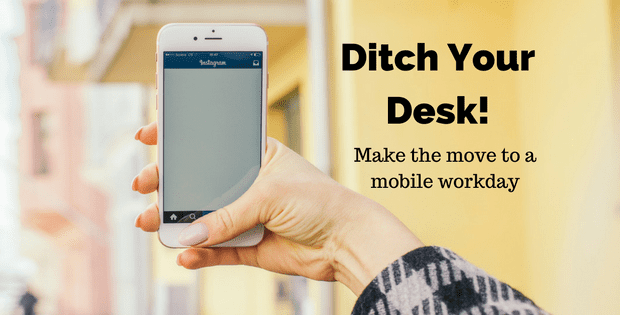
Sometimes we’re not looking to change what’s always worked for us. So we keep going the way we’ve always done. Except that we kind of like working wherever we want. So if you want to ditch your desk and make the move to a mobile workday, here’re a few things to try.
Bring Your Office Anywhere
 You’ve probably been doing some sort of work on your phone for years. That’s nothing new. But with new apps you can bring your mobile office anywhere. Regardless of industry or location. All you need is the right set of apps that support your business.
Service businesses are a great example of choosing mobile options to increase profits and productivity. In the past, the business side of a service business was always done back at the office. WorkflowMax has a suite of mobile apps for invoicing, lead management, purchase orders and timesheets specifically made for the construction industry. Now there is no waiting to make quote adjustments or send out an invoice.
Communicate Beyond Emails
 Sure, we’ve been using emails forever. I’d say we invented email, but that was actually a Baby Boomer. The point is we are perfectly comfortable using email on our phones.
Yet, we can get stuck using the same technology because we’re happy with the results. And this is when we need to see how much communication options we have from our phones. Email is good for many business communications. But isn’t the most effective if you’re collaborating with a team.
Instead, try something like Trello. It’s especially good for managing projects and team members will be notified instantly with any updates or changes. Leave email for communicating with clients and use collaborative apps for work management.
Don’t Forget Security
 Although Millennials forget to do this too, be prepared for anything if you’re ready to take your work with you. mCommerce is growing (that includes buying from a tablet or smartphone) and we can scan checks directly into our bank accounts. We want everything on our mobile devices to be secure, especially our financial transactions.
So don’t forget to add a strong layer of security on each of your mobile devices. There are many decent security apps out there, including Norton Mobile Security. Although there are free versions, and Norton’s a paid subscription, many Gen X-ers have used Norton products for decades (at least 20+ years). So it’s an easy choice for securing your mobile devices.
Go Anywhere with Confidence
 One of the most important reasons to get out of the office is your health. Death by Desk is a real thing and has been compared to smoking a pack of cigarettes each day. Sitting down for the entire day leads to serious health issues that can be avoided if we just get out of our desk chairs.
With the right tools, you can take that important phone call or respond to urgent messages even when you’re out. Open Signal lets you see where you can get cell reception by searching your zip code (online or using their app). Let’s say you want to go hiking, to the beach, or even to the gym (hint, hint!). In the past, you may have waited around the office for hours waiting for something important. Now, you can go anywhere with confidence if you do your homework first.
Mastering Social Media on the Go
 Facebook, Twitter, Pinterest, Instagram…what business doesn’t use social media these days? While it’s not necessarily easy to make content on social media, it is easy to manage content, engage with followers and share content from your smartphone.
Each business is unique and uses social media differently. My offline business used to get phone calls from potential new clients, then we received more emails than phone calls, and now we get more Facebook messages than anything else. My point is that we all use social media differently but it plays an important role in our businesses.
Facebook’s messenger app is different than a Facebook app (so you’ll need both). You can also manage multiple social media platforms using Buffer or Hootsuite apps. However, remember that just because there are social media apps that manage multiple social media platforms doesn’t mean you need every platform out there. Choose the ones that make the most sense for your business and never feel that you’re missing out if you’re only on Facebook or Twitter.
You Don’t Have to Divide Your Day
It’s hard to change after working one way for a long time. For years, we’ve divided our days into “office” and “out of the office”. We meet with clients and conduct sales presentations out of the office. We complete boring stuff (like paperwork and paying bills) at the office. We’ve been tethered to our offices for so long that our generation created the entire work/life balance concept to deal without our professional lives.
So it’s time to stop limiting how we work. It’s fine if you want to work in the office. Just don’t feel that’s your only option. You can work almost anywhere with the right tools. It’s time to remember that we’re can learn a thing or two from Millennials.
We just don’t have to tell them that.